Difference Between JPG and PNG Full Guide 2026
Images are a vital part of modern digital content. Whether you are running a blog, building a website, managing social media pages, or designing graphics, choosing the right image format directly affects image quality, loading speed, and search engine optimization (SEO). Among all image formats, JPG and PNG are the most widely used, yet many people are confused about their differences and proper usage. Understanding the difference between JPG and PNG will help you make better decisions for web performance, design quality, and user experience.
JPG (also known as JPEG) and PNG are both raster image formats, meaning they are made of pixels. However, they differ significantly in how they compress images, handle quality, manage file size, and support transparency. These differences determine which format is best for a particular use case.
What is JPG (JPEG)?
JPG stands for Joint Photographic Experts Group, the organization that created this format. JPG is primarily designed for photographs and complex images with many colors and gradients. It uses lossy compression, which means some image data is removed to reduce file size. This data loss is usually not noticeable to the human eye, especially when the image is viewed on screens.
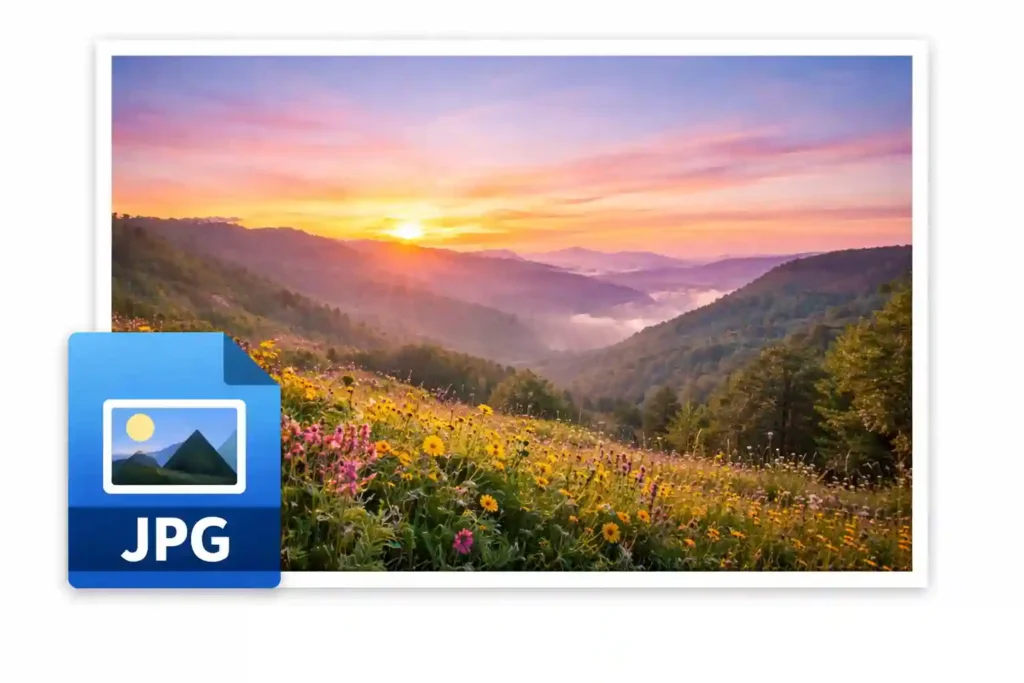
The biggest advantage of JPG is its ability to compress images into very small file sizes while maintaining acceptable visual quality. Because of this, JPG is one of the most popular image formats for websites and blogs, where fast loading speed is essential.
JPG does not support transparent backgrounds, and repeated editing and saving can reduce image quality over time. Despite this limitation, it remains the preferred choice for photos and large images used on the web.
What is PNG?
PNG stands for Portable Network Graphics. It was developed to provide better image quality and replace older formats like GIF. PNG uses lossless compression, which means no image data is lost during compression. As a result, PNG images maintain their original quality even after being edited and saved multiple times.

One of the most important features of PNG is transparency support. PNG allows images to have transparent or semi-transparent backgrounds, making it ideal for logos, icons, overlays, and user interface elements. PNG images generally have a larger file size compared to JPG, which can affect website loading speed if not optimized properly.
PNG is commonly used when clarity, sharp edges, and text readability are more important than file size.
Core Difference between JPG and PNG
The fundamental difference between JPG and PNG lies in compression and image quality. JPG sacrifices some quality to reduce file size, while PNG preserves full image data to maintain maximum quality. This difference impacts how and where each format should be used.
JPG is best suited for realistic images such as photographs, while PNG is better for graphics, text-based images, and visuals that require transparency. Choosing the wrong format can result in blurry text, unnecessary large file sizes, or poor website performance.
JPG vs PNG: Compression and Image Quality
JPG uses lossy compression, which reduces file size by removing details that are less noticeable to the human eye. This makes JPG highly efficient for web usage. However, if a JPG image is compressed too much, it can show visible artifacts, blurriness, or color distortion.
PNG uses lossless compression, meaning it keeps every detail intact. This results in sharper images, clean text edges, and higher overall quality. PNG images are especially useful when accuracy and clarity are required, such as in screenshots or infographics.
Because PNG does not lose data, it is also better for images that require frequent editing.
File Size Difference between JPG and PNG
File size is a major factor when choosing an image format for websites. JPG images are significantly smaller in size compared to PNG images of the same dimensions. This smaller file size helps websites load faster, which is an important ranking factor for SEO.
PNG images can be two to five times larger than JPG images, depending on image complexity. While this extra size ensures better quality, it can negatively impact page speed if used excessively without optimization.
For performance-focused websites, JPG is often the better option for large images.
Transparency Support: A Major Advantage of PNG
One of the most important differences between JPG and PNG is transparency support. JPG does not allow transparent backgrounds, meaning every image must have a solid background color. This limitation makes JPG unsuitable for logos or design elements that need to blend seamlessly with different backgrounds.
PNG supports transparent and semi-transparent backgrounds, making it the preferred choice for logos, icons, watermarks, and overlays. This feature alone often determines whether PNG should be used instead of JPG.
JPG vs PNG for Website and SEO
From an SEO perspective, image optimization plays a critical role in website performance. JPG images load faster due to their smaller size, which helps improve page speed, user experience, and Core Web Vitals. Faster websites generally rank better in search engines.
PNG images contribute to better visual clarity and branding but can slow down a website if not compressed properly. For SEO, the best approach is to use JPG for photographs and large visuals, and PNG only where transparency or sharp detail is necessary.
Proper image compression, descriptive file names, and alt text are essential regardless of the format used.
When Should You Use JPG?
JPG should be used when image file size and loading speed are a priority. It is ideal for images that contain a lot of color variation and natural gradients.
Common use cases for JPG include blog featured images, product photos, travel images, banners, and background images. JPG is especially suitable for content-heavy websites where multiple images are used on a single page.
When Should You Use PNG?
PNG should be used when image quality and transparency are more important than file size. It works best for images that include text, logos, icons, or sharp edges.
PNG is commonly used for brand logos, website icons, screenshots, infographics, buttons, and user interface elements. In these cases, clarity and clean edges are more important than loading speed alone.
JPG vs PNG for Social Media
On social media platforms, both JPG and PNG are supported, but JPG is more commonly used for photos because of its smaller size. Social media platforms automatically compress images, so uploading a high-quality JPG often produces better results.
PNG is useful for graphics, quotes, and brand visuals where sharp text and transparency are required. However, larger PNG files may be compressed heavily by platforms, reducing their quality.
Editing and Resaving Images
Another important difference between JPG and PNG is how they handle editing. Each time a JPG image is edited and saved, some quality is lost due to lossy compression. Over time, this can noticeably degrade the image.
PNG does not lose quality when saved multiple times, making it a better option for images that require frequent editing or revisions. Designers often keep a PNG version as the master file and convert it to JPG for final web use.
JPG vs PNG for Printing
For printing purposes, JPG is commonly used for photographs, while PNG is preferred for images that include text or line art. However, professional printing often uses formats like TIFF or PDF for the best results.
For basic printing needs, both JPG and PNG can work if the resolution is high enough.
Is PNG Better Than JPG?
PNG is not always better than JPG. Each format serves a different purpose. PNG provides higher quality and transparency, while JPG offers better compression and faster loading.
The best format depends entirely on how and where the image will be used. Using PNG everywhere can slow down a website, while using JPG for logos can reduce visual quality.
Optimize JPG and PNG Images Easily with ToolsWindow
No matter whether you choose JPG or PNG, proper image optimization is essential for maintaining high quality while improving website speed and SEO. Large image files can slow down page loading, increase bounce rate, and negatively impact search engine rankings. That’s why using the right image optimization tools is just as important as choosing the correct image format.
If you want a fast and beginner-friendly solution, ToolsWindow Image Tools provide an easy way to resize and compress images without losing quality. The Image Resizer tool allows you to adjust image dimensions according to your website or social media requirements, making it perfect for blog images, thumbnails, banners, and product photos. Resizing images before uploading helps reduce unnecessary file weight and ensures consistent layout across devices.
For further optimization, the Image Compressor tool helps reduce JPG and PNG file sizes while preserving visual clarity. This is especially useful for websites where performance and SEO matter. By compressing images correctly, you can improve page loading speed, enhance user experience, and meet Core Web Vitals requirements without compromising image quality.
Using these tools together ensures that whether you are working with JPG photos or PNG graphics, your images remain lightweight, sharp, and fully optimized for web and SEO in 2026 and beyond.
Conclusion
The difference between JPG and PNG lies mainly in compression, image quality, file size, and transparency support. JPG is best for photographs and web performance, while PNG is ideal for graphics, logos, and images that require sharp details or transparent backgrounds.
For the best results, use JPG for photos and large images, and PNG only where quality and transparency are essential. This balanced approach ensures better website speed, improved SEO, and a superior user experience.
Understanding when to use JPG and when to use PNG is a simple but powerful step toward better image optimization and digital content quality.
Read Also: