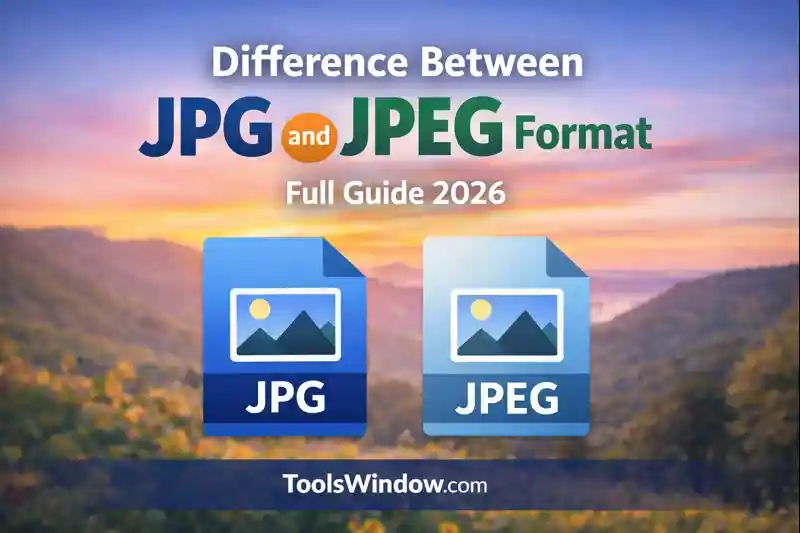
Difference Between JPG and JPEG Format- Full Guide 2026
Images are an essential part of digital content, whether it is a blog, website, social media post, or online store. When saving or uploading images, many users notice two very similar formats: JPG and JPEG. This often leads to confusion and a common question — is there any real difference between JPG and JPEG format?
The short answer is no major technical difference, but the full explanation is interesting and important, especially if you care about image quality, compatibility, and SEO. In this article, we will clearly explain the difference between JPG and JPEG in simple language and help you understand when and why both names are used.
What Is JPEG Format?
JPEG stands for Joint Photographic Experts Group, the organization that created this image standard. JPEG is one of the most popular image formats in the world and is mainly used for photographs and realistic images with many colors and gradients.
JPEG uses lossy compression, which means it reduces image file size by removing some data that the human eye usually cannot notice. This allows images to remain visually appealing while becoming much smaller in size, making them ideal for web usage.
Because of its balance between image quality and file size, JPEG is widely used for websites, blogs, digital cameras, smartphones, and social media platforms.
What Is JPG Format?
JPG is simply a shortened version of JPEG. Technically, JPG and JPEG are the same image format, with the same compression method, quality level, and features.
The reason JPG exists is due to older computer systems, especially early versions of Windows (MS-DOS), which only supported file extensions with three letters. Since “JPEG” has four letters, it was shortened to “JPG”.
Today, modern systems support both JPG and JPEG, and they work in exactly the same way.
Difference Between JPG and JPEG Explained Simply
There is no difference in image quality, compression, or functionality between JPG and JPEG. The only difference is the file extension name.
JPG and JPEG files:
- Use the same compression algorithm
- Have the same image quality
- Support the same color range
- Do not support transparency
- Are equally good for web and SEO
In simple words, JPG = JPEG.
Why Do Both JPG and JPEG Exist?
The existence of both JPG and JPEG is purely historical. In the past, Windows systems required three-letter file extensions, which led to the creation of “.jpg”. Meanwhile, Unix and Mac systems had no such limitation, so “.jpeg” was used.
Over time, both extensions became popular and are now universally supported across all devices, browsers, and operating systems.
JPG vs JPEG: Image Quality Comparison
There is zero difference in image quality between JPG and JPEG. If you save the same image with the same compression settings, the quality will be identical.
Any quality loss you see in JPG or JPEG images is due to compression level, not the file extension name. Higher compression means smaller file size but lower quality, while lower compression preserves more detail.
JPG vs JPEG: File Size
JPG and JPEG files have the same file size if saved with identical settings. The extension name does not affect file size in any way.
File size depends on:
- Image resolution
- Compression level
- Image content (colors, details, gradients)
JPG and JPEG for Website and SEO
From an SEO perspective, both JPG and JPEG are equally effective. Search engines do not prefer one over the other.
What really matters for SEO is:
- Optimized image size
- Proper compression
- Descriptive file names
- Correct alt text
- Fast page loading speed
Whether you use .jpg or .jpeg, your SEO performance will be the same as long as the image is optimized correctly.
When Should You Use JPG or JPEG?
Since there is no technical difference, you can use either format freely. However, many websites and developers prefer JPG because it is shorter, cleaner, and more commonly used.
JPG or JPEG is best used for:
- Photographs
- Blog images
- Product photos
- Background images
- Travel and lifestyle pictures
JPG and JPEG Limitations
While JPG and JPEG are excellent for photos, they do have some limitations. They do not support transparent backgrounds, which makes them unsuitable for logos and icons. Also, repeated editing and saving can reduce image quality over time due to lossy compression.
For images that require transparency or sharp text edges, formats like PNG or WebP are more suitable.
Common Myths About JPG and JPEG
Many people believe that JPEG is higher quality than JPG or that one format is better for SEO. These are myths. Both formats are identical in every technical aspect. The only difference lies in naming, not performance or quality.
JPG, JPEG, and Modern Image Formats
In recent years, modern formats like WebP and AVIF have become popular due to better compression and smaller file sizes. However, JPG and JPEG are still widely supported and remain a safe choice for compatibility across all devices and platforms.
Final Verdict: JPG or JPEG – Which Is Better?
There is no winner because JPG and JPEG are the same format. You can use either without worrying about quality, file size, or SEO impact.
For consistency and simplicity, many professionals prefer using .jpg, but using .jpeg is equally correct.
Optimize JPG and JPEG Images for Better Performance
Understanding the difference between JPG and JPEG is only the first step. No matter which extension you use, image optimization plays a crucial role in website speed, user experience, and SEO. Large JPG or JPEG images can slow down your website and negatively affect Google rankings if they are not properly optimized.
To solve this problem easily, ToolsWindow offers free and user-friendly image optimization tools. If your JPG or JPEG images are too large, the Image Compressor helps reduce file size without noticeable quality loss. This is especially useful for blog images, featured images, and product photos where fast loading speed matters the most.
In addition, the Image Resizer tool allows you to resize JPG and JPEG images to the exact dimensions required for your website, social media, or thumbnails. Resizing images before uploading prevents unnecessary file weight and keeps your site layout clean and responsive across all devices.
By combining correct image format knowledge with proper resizing and compression, you can significantly improve page speed, Core Web Vitals, and overall SEO performance in 2026 and beyond.
Tip: Always resize and compress JPG or JPEG images before uploading them to improve website speed and search engine rankings.
Conclusion
The difference between JPG and JPEG format is purely historical and related only to the file extension name. Technically, both formats are identical in terms of image quality, compression, file size, and SEO performance.
If you are uploading images to your website, blog, or social media, you can confidently use either JPG or JPEG. Focus more on image optimization, compression, and performance, as these factors have a far greater impact than the file extension itself.
Understanding this simple concept helps you make smarter decisions and avoid unnecessary confusion when working with digital images.
Read Also:
- Difference Between JPG and PNG Full Guide 2026
- How to Reduce Image File Size Without Losing Quality for Web & SEO 2026
- Top 10 Free Tools for Indian Startups That Actually Save You Lakhs in 2026
- 5 Tips to Create a Strong Password (Stay Safe Online in 2026)
- JPG vs PDF | Understanding the Difference Betveen JPG and PDF